Multilingual events
Building an event app for Arabic and English at once
Translating the strings is the easy part. A bilingual event app has to work in two directions, two scripts and two sets of expectations, on the same day.
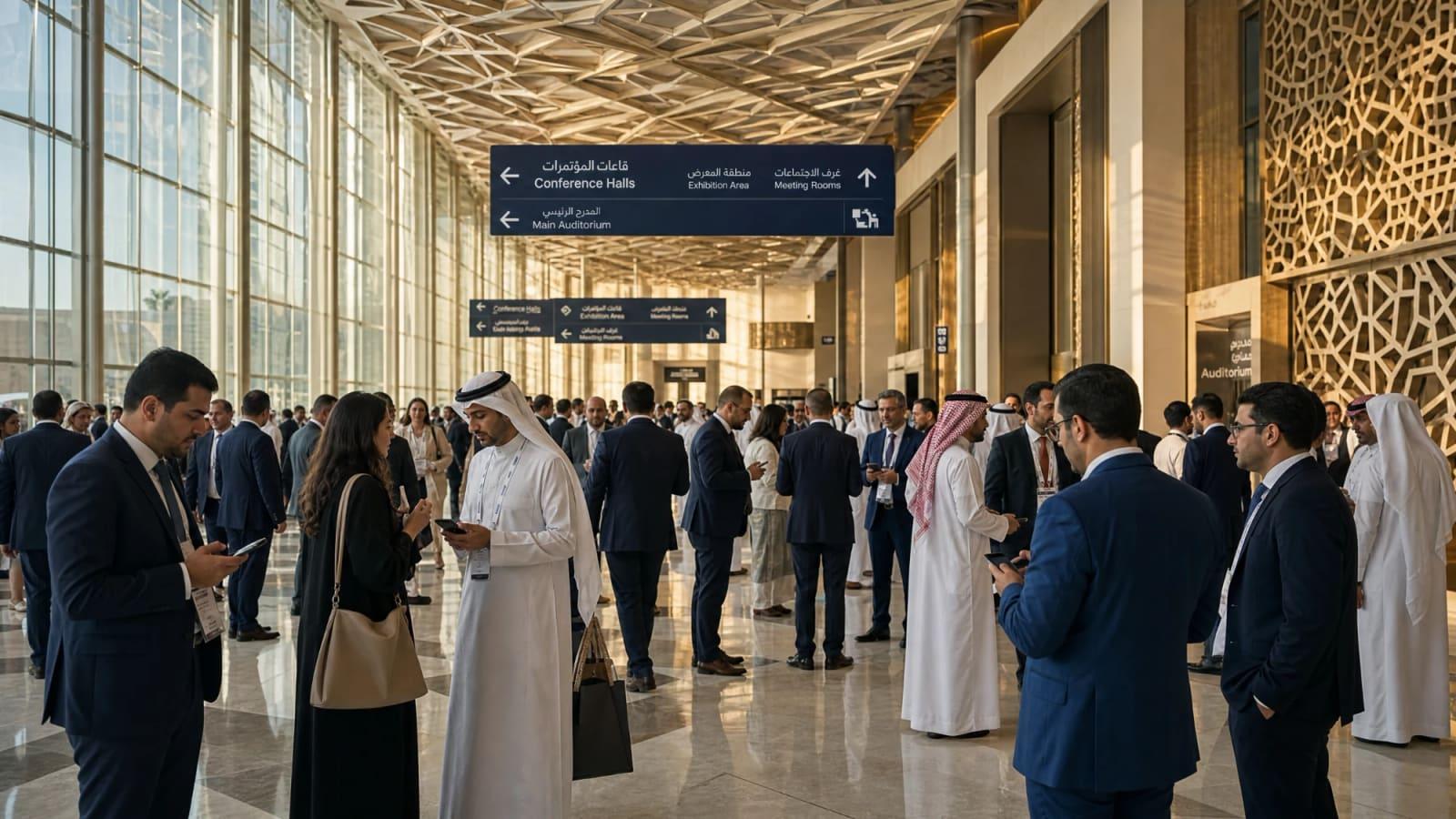
The first Arabic build of an event app usually looks fine for about ten seconds. Then someone who reads Arabic picks up the phone, scrolls the programme and quietly points at five things that are wrong.
The back arrow points the wrong way. A session title that mixes Arabic with an English product name has its words in the wrong order. The time reads “PM 2:30”. The speaker’s name is cut off at exactly the point where it starts to matter. The text is technically Arabic and still feels like a translation of somebody else’s app.
None of these are translation problems. They are design and engineering problems, and they are much cheaper to solve at the start than two weeks before the event.
Direction is a layout decision, not a setting
Arabic reads from right to left, so the whole interface has to mirror. The navigation moves to the other side, lists align to the right, progress runs right to left and the “next” arrow points left.
The mistake is treating this as a switch you flip at the end. If the layout is built with left and right hard-coded everywhere, the Arabic version becomes a long list of exceptions. If it is built with start and end from the first screen, most of it mirrors on its own. On the web that means logical properties in CSS and the dir attribute on the page. In native apps the platforms do much of the work, provided nobody has fought them along the way.
Not everything should flip, though. A clock still runs clockwise. A play button still points right. A map is still a map. Logos, charts with time on the horizontal axis and phone numbers keep their own direction. Someone has to make those calls one by one, ideally a designer who reads Arabic.
Mixed text is where most bugs live
Real event content is rarely all in one language. An Arabic session description will mention a company name, a product, an acronym or a hashtag in Latin letters. A speaker title might be “رئيس قسم AI”. A room might be called “Hall B”.
The text engine handles this with the Unicode bidirectional algorithm, and it is good at it most of the time. It gets confused at the edges: punctuation at the end of a mixed sentence, brackets, numbers next to Latin words, an email address inside an Arabic paragraph. The result is a full stop on the wrong side or a phrase that reads in the wrong order.
The fix is unglamorous. Test with real content, not placeholder text. Isolate user-generated pieces such as names and titles so they cannot disturb the sentence around them. Keep email addresses, phone numbers and URLs explicitly left to right. And have someone who reads Arabic look at the actual programme, not a sample screen.
Type needs different rules
Arabic letters connect, change shape depending on their position in the word and sit differently on the line. A few habits from Latin typography actively hurt:
- Letter spacing. Spacing out Latin capitals looks refined. Spacing out Arabic breaks the connections between letters.
- Uppercase and italics. Arabic has neither. Styles that rely on them need an Arabic alternative, usually weight or colour.
- Size. At the same point size, Arabic text tends to look smaller than Latin. It usually needs to be set a little larger, with more generous line height.
- Fonts. Choose an Arabic typeface that sits well beside the Latin one in weight and character, and check that it covers the punctuation and numerals you need.
Truncation deserves a separate mention. A speaker’s name cut with an ellipsis after twelve characters may be acceptable in English. In Arabic, family names and honorifics carry meaning, and cutting them carelessly can be awkward or worse. Leave room for full names.
Numbers, dates and names
Numbers are a decision, not a default. Some audiences expect Western digits in Arabic text, others expect Arabic-Indic digits. For an international event in the Gulf, Western digits are common, but it is worth asking the client rather than guessing.
Dates and times need the same care. “Tuesday, 14:30” has to become something an Arabic reader recognises at a glance, with the day name, the month and the time in the right order. Some events will also want the Hijri date shown alongside the Gregorian one.
Names are harder than they look. The same person may be written differently in English and Arabic, the alphabetical order of a speaker list changes completely between scripts and search has to find a speaker whichever way the attendee types the name. Store both versions. Do not generate one from the other.

Two languages, one programme
This is the part that has little to do with Arabic and everything to do with how events actually run.
The programme will change. Rooms move, speakers cancel, a session is renamed the night before. In a bilingual event every change now exists twice. If the English version is updated at 22:00 and the Arabic version at 09:00 the next morning, half of the audience spent the night with the wrong information.
So both languages have to live in one place and be published together. When someone edits a session, they should see immediately that the other language needs updating, and the change should not go live in one language while the other is still out of date. Push notifications should arrive in the language each attendee chose, not in whichever language the operator happened to be typing in.
Machine translation helps with volume. It should not be the last step. Session titles, sponsor names and anything said in public under the event’s name deserve a human editor who knows both the language and the subject.
What to check before launch
A short list we would not skip:
- Read the whole programme in Arabic on a real phone. Not the design file, the app, with the real content.
- Switch languages mid-session. The app should keep your place, your saved sessions and your meetings.
- Search for a speaker in both scripts. Then search for one with a common spelling variation.
- Send a test notification to each language group. Check the text, the direction and the time.
- Print a badge and a PDF. Exports and printed materials are where right-to-left support is most often forgotten.
- Check the app store listing. Screenshots and descriptions in both languages, so the first impression matches the event.
It is worth doing properly
A bilingual app done well is not noticed. Arabic-speaking attendees simply use it, the way English-speaking attendees do, and nobody thinks of it as the translated version.
That is the standard to aim for. Done badly, the Arabic version becomes a quiet signal that one half of the audience was an afterthought. For an event that invites both, that is not a message anyone intended to send.